
Workflows
Put your best tech’s process on every ticket
Write how your desk resolves a ticket, in your team’s own words. When a matching ticket lands in your PSA, Rallied follows your playbook step by step and shows its work on the ticket.
Templates
Start from a playbook that already works
The fastest first workflow is an edit to one that already works. Templates cover the tickets every desk sees, and the same playbooks work whether you’re on ConnectWise, HaloPSA, or Autotask.
- Offboard a departing employee
- Disables sign-in, converts the mailbox to shared, reclaims the license, updates groups.
- Onboard a new hire
- Account, license, groups, and shared mailboxes ready before day one.
- Reset a password
- Verifies the requester first, then resets and delivers the password safely.
- Grant shared mailbox access
- Checks the approval, grants access in M365, and logs the time on the ticket.
- Enrich with requester context
- Who the requester is, their setup, and their history, on the ticket before a tech opens it.
- Assign to the lowest-loaded tech
- New tickets land with whoever has the most room, so the queue balances itself.
- Investigate a suspicious sign-in
- Checks the sign-in against the user’s history, then clears it or escalates with evidence.
- Send a TimeZest booking link
- Books the client with the right team instead of playing phone tag.
- More in the library
- Triage and routing, ticket status updates, time entries, account lockouts, license recommendations. And you can always write your own.
How a workflow works
Write it once, then watch it run
From the sentence you type to the approval a tech replies with, here is what happens between a ticket arriving and a ticket closing.
Type “when someone requests shared mailbox access, verify their manager approved it, grant it in M365, and log time on the ticket.” That sentence is the whole job.
- Your process becomes documentation: every ticket resolved the same way, without anyone learning a workflow builder.
- Each step shows whether it runs on its own or waits for a tech’s approval.
- If a playbook needs a tool you haven’t connected, you find out while writing it, not from a failed ticket.
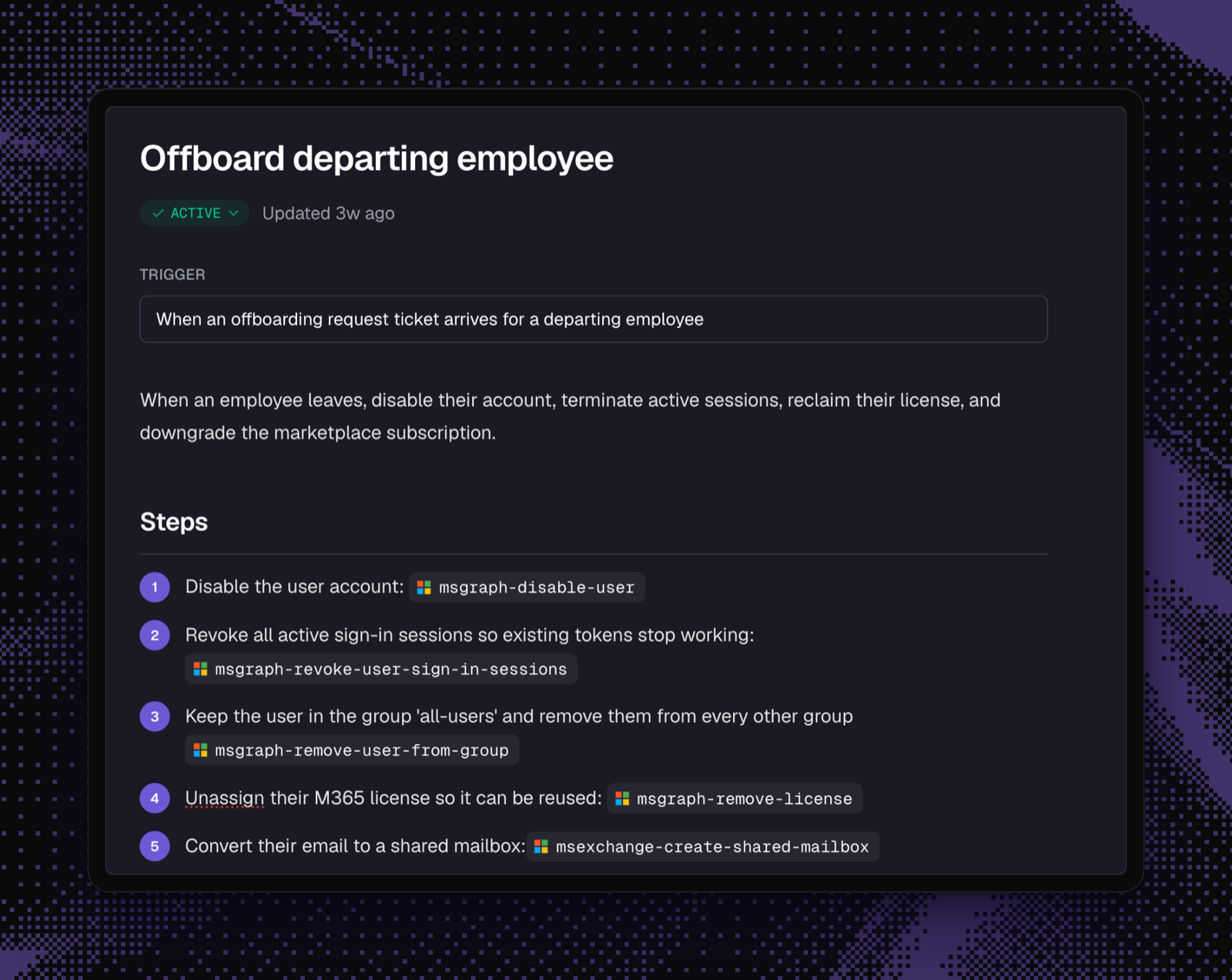
Your board and your statuses stay exactly as they are. Rallied watches for matching tickets and works them the way you wrote it down.
- Takes the first touch on new tickets, or picks up work techs hand over.
- A fix that needs a 30-minute wait gets its follow-up on time.
- Every action and outcome is documented on the ticket as it goes.
Steps that need sign-off pause and wait for a reply from the person you chose, right on the ticket. Nothing sensitive runs unattended.
- Approvals happen by replying to the note, without leaving the PSA.
- Allow, require approval for, or disable each action, per client.
- Password and MFA resets can verify the requester through Okta, Duo, or Traceless first.
Control
The guardrails travel with the playbook
Your permissions still apply
Anything you’ve set to require sign-off still requires it, and read-only clients stay read-only. Writing a playbook can’t loosen your rules.
Every run is signed
The ticket note names the playbook it followed, with a checklist of steps taken and skipped. You can audit the AI, and the process itself, from the ticket.
- Sign-in disabled, sessions revoked
- Mailbox converted to shared
- Business Premium license reclaimed
- Skipped: remove from GitHub org, no seat found
Drafts stay drafts
A workflow only touches real tickets after someone on your team reviews it and turns it on, and you can retire one without losing its history. Nothing reaches your clients by accident.
One playbook, every client
Workflows apply MSP-wide with per-client overrides. Fix your password-reset process once and every client gets it, except the one that needs its own variant.
Show us the ticket your team is tired of seeing
Bring a shared mailbox request, a new-user setup, or another repeat ticket. We’ll show you how Rallied closes it, from request to done.